With budget management, you give every user their own budget for print and communication materials within a single environment. Each user works from a personal account, so orders and spending can always be traced back to the right person. Users can see how much budget is available and order independently. As an administrator, you set the financial terms and keep an overview of spending. Budget works like a digital wallet: simple for the user, transparent for you.
Individual budgets, centralized control
Budget management
Assign a budget to each user for print and communication materials, track spending in real time, and let users order independently within your organization's financial guidelines.
A personal budget for every user
Setting up budgets
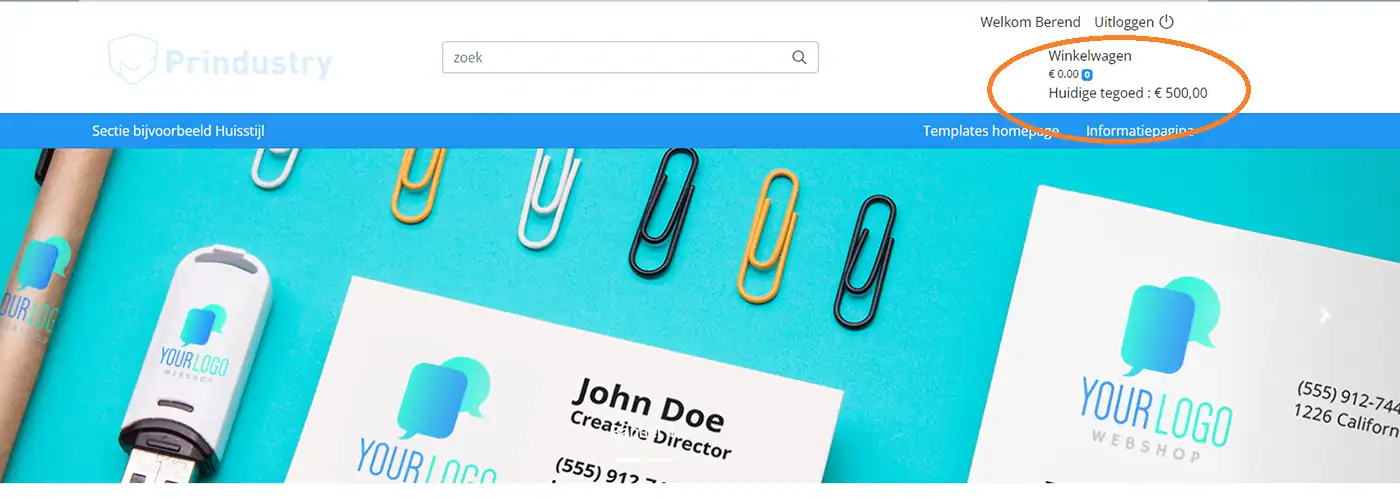
Give every user their own budget within a customer portal, brand portal, or webshop.
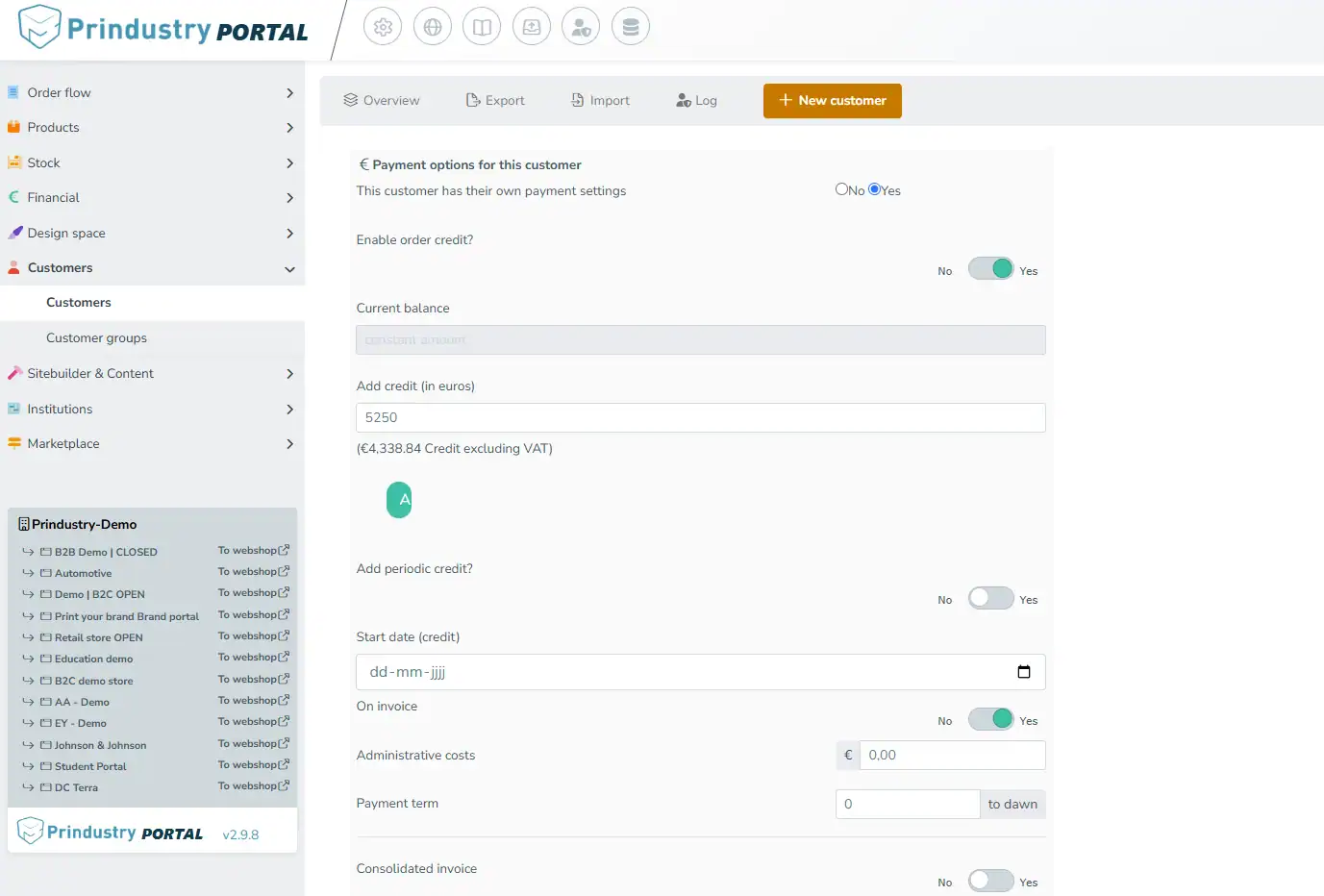
You decide how much budget is available, and you can set it to renew automatically on a fixed schedule. This lets you give users a recurring budget for things like marketing materials, corporate gifts, or local campaigns.
Combined with user management, you also determine:
- which communication products a user can order;
- which parts of the portal are accessible;
- which roles and permissions apply.
This way, you align each user’s budget with their role and ordering options.
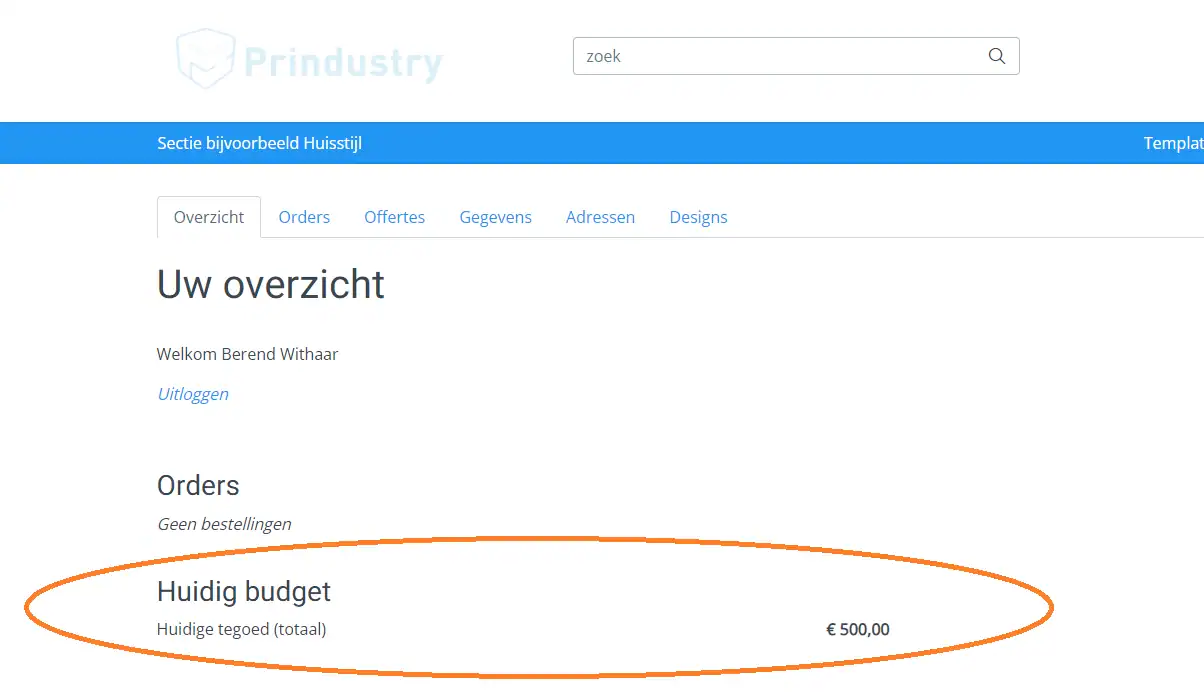
Tracking and limiting spending
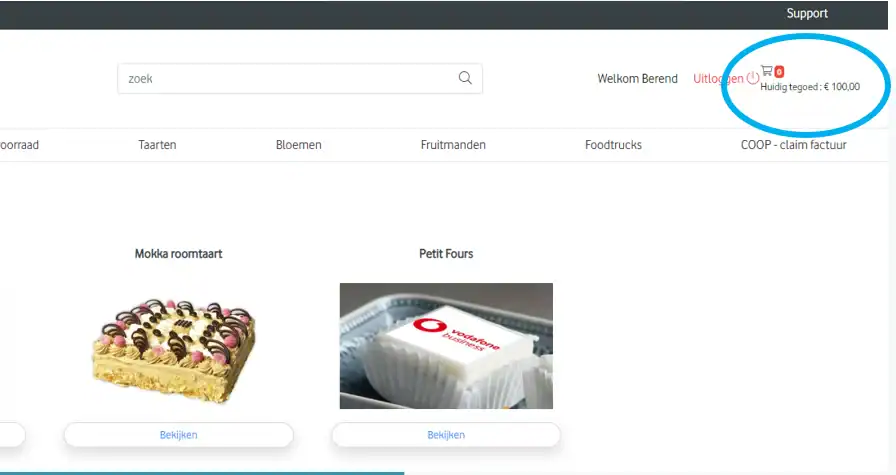
See exactly how much each user has spent and how much budget remains. As an administrator, you always have an up-to-date view of budget status. Users see their own remaining budget in the portal too.
This lets users order independently within their budget, without having to check in every time to see what’s left.
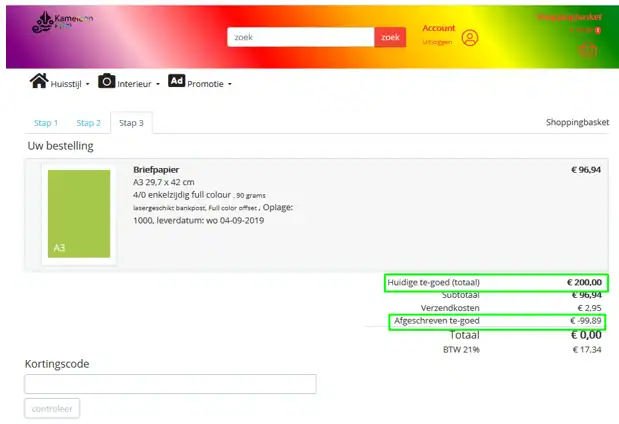
Is an order more expensive than the available budget? The budget is automatically applied in full, and the user simply pays the difference. That way, no order gets stuck over a few euros of missing budget.
Approving orders
Budget management can be part of your order approval flow.
A user places an order within their available budget. The system then submits the order for approval to an administrator or another responsible person.
Budget and authorization work together:
- the budget determines how much someone can spend;
- roles and permissions determine what someone can order;
- the approval flow determines whether the order is finally processed.
This way, you control not just the amount, but also who can order what, and which orders need review first.
How budget management works
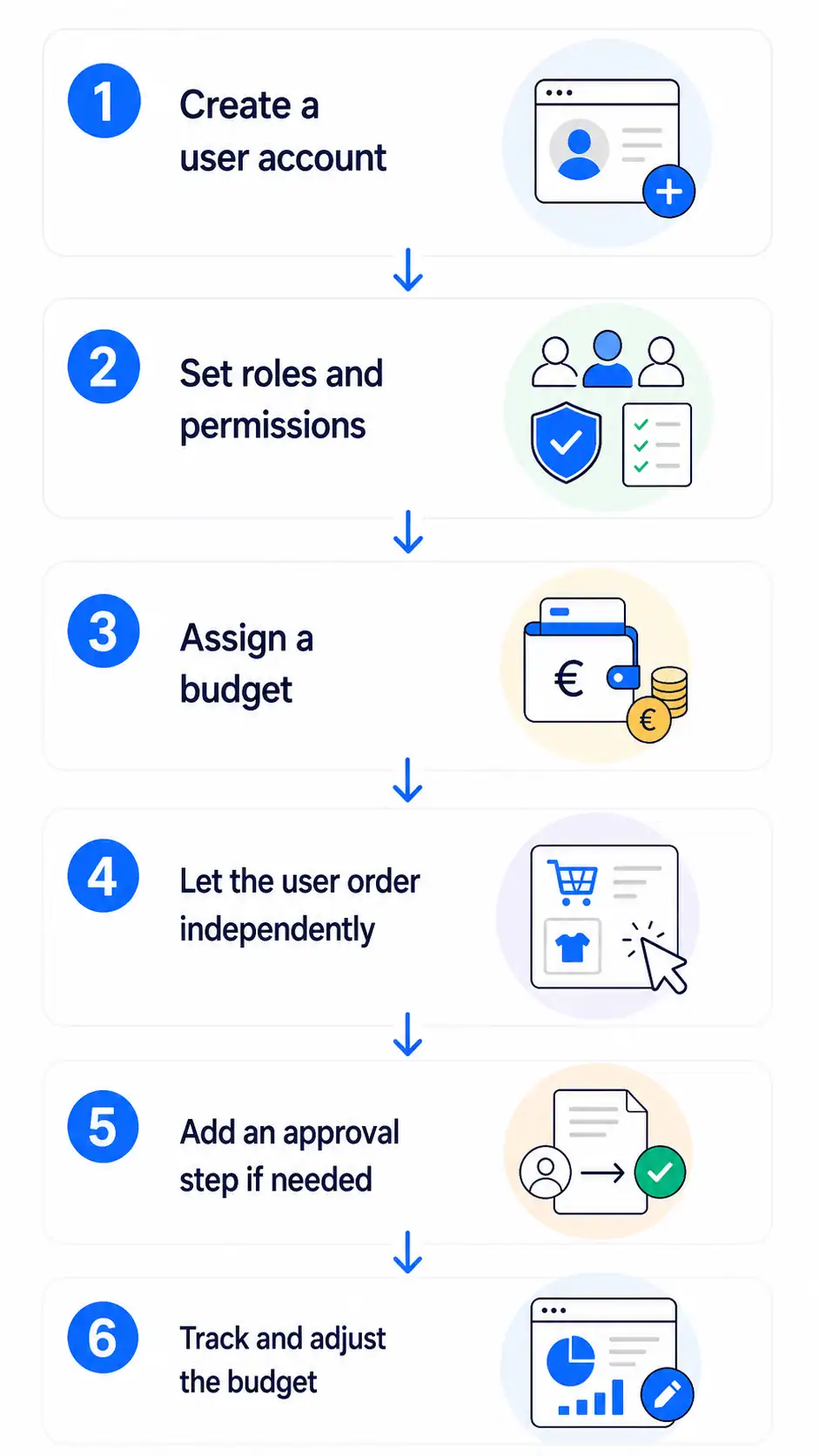
- Create a user account — Every user gets a personal account within the portal.
- Set roles and permissions — Decide which parts are accessible and which communication products the user can order.
- Assign a budget — Set the available amount and, if needed, an automatic renewal period.
- Let users order independently — The user selects a communication product — a poster, flyer, or corporate gift, for example — chooses the right options, and places the order within their assigned budget.
- Add an approval step if needed — Have an order reviewed before it’s finally processed.
- Track and adjust the budget — Check the current budget status and adjust the available amount whenever needed.
Customer story: Happy Partner Shops
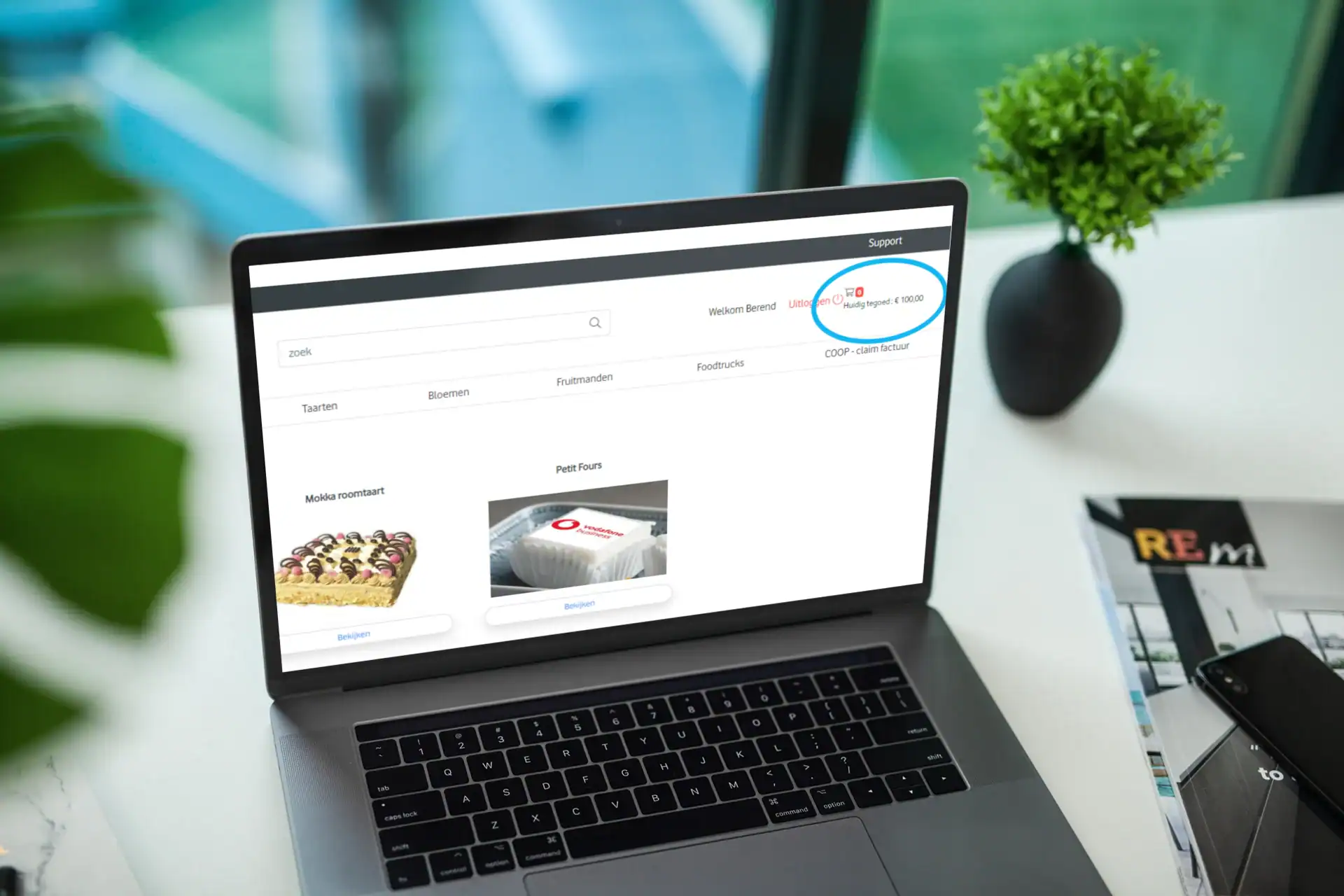
”Arvato uses the Prindustry Platform for several Happy Partner Shops. These portals are built for account managers at an international telecom company.
Through the portals, account managers support resellers with gifts such as flowers, cards, and cakes. They can also order sales support materials.
Each account manager receives their own budget within the ordering platform, so they can independently order products for their partners.
"It's not just about producing marketing materials, but about the entire, specific, and financial handling of the campaigns. Being able to assign and use a budget is part of that."
This lets account managers support their partners personally, while Arvato keeps track of spending.
How this fits into the Prindustry Platform
The Prindustry Platform is one SaaS management platform for print management.
It connects every step in your process, from assortment and calculation to orders and invoicing.

| Feature | What can you do with it? |
|---|---|
| API | Your own API for orders: share your assortment with external shops and apps. |
| Assortment Management | Build your product catalog and manage your products, options, and prices. |
| Budget Management | Give users their own budget and stay in control of spending. |
| Calculation | Calculate cost and sales prices based on your own machines and materials. |
| Editor | Let users personalize materials within fixed guidelines. |
| File Management | Keep all your files in one place. Use them directly in templates, quotes, orders. |
| Inventory Management | Keep your inventory up to date and show which products are in stock. |
| Invoicing | From order to invoice, with a link to your accounting software. |
| Marketplace | Buy and sell on the independent platform for print buyers and producers. |
| Order Management | Automate your order processing from purchase to production. |
| Preflight | Automatically check print files for technical errors. |
| Project Management | Bring every part of a project together: pricing, communication, orders. |
| Quote Management | Create quotes fast with up-to-date pricing and convert them into an order. |
| Storefronts | Set up multiple ordering environments and manage them from one system. |
| User Management | Set access, roles, and permissions for every user in your order environment. |
Take control of your spending
Let users order independently within clear financial guidelines.
With budget management, you manage budgets for print and communication materials, permissions, and approvals from one environment. This gives users freedom, while you stay in control of spending.