

1
Colours
Detects RGB and CMYK colours and warns you about an incorrect colour space.
Preflight automatically checks print files for technical quality before a file goes into production.
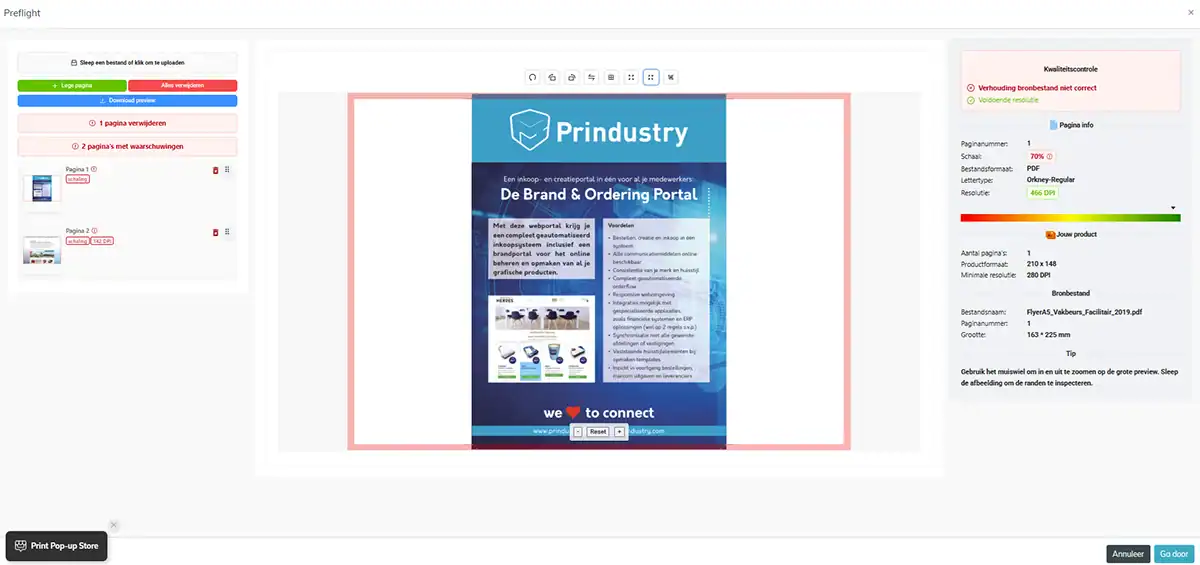
A print file with a technical error can seriously delay the order process. That could be a resolution that’s too low, the wrong format, or an incorrect colour space. If an error like that surfaces too late, you’ll have to ask for a corrected file, and production falls behind.
Preflight takes the technical file checking off your hands. You catch errors before a file goes into production, avoiding manual checks, correction rounds, and delays.
Detects RGB and CMYK colours and warns you about an incorrect colour space.
Identifies missing or non-embedded fonts.
Verifies there's enough bleed for the trim margin.
Checks that the size matches the product specifications.
Assesses whether images have enough resolution for print.
Flags mismatched formats and incorrect proportions, and positions the file correctly where possible.
Upload a PDF design to the product you're ordering, in the webshop or Brandportal. Preflight automatically checks the file for colour use, bleed, fonts, and dimensions, even for files with many pages.
Adjust the file where needed: scale, rotate, or mirror it. Errors and points of attention are shown immediately.
Does the file meet all the requirements? Then you get a production-ready PDF, complete with crop marks and registration marks. That saves hours of prepress work and guarantees consistent output.
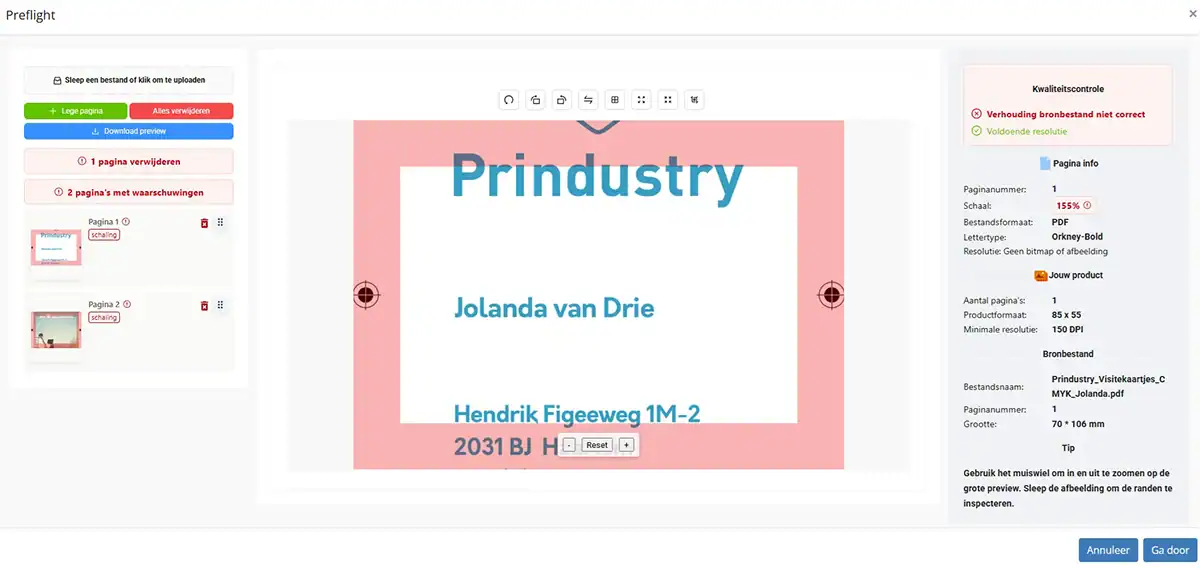
Preflight is available to users of the WhiteLabelShop and Brandportal. They have their print files automatically checked for technical errors before placing an order.
Owners of these web portals can also check files that were supplied outside the platform.
Preflight is one of the modules available within the Prindustry Business Platform, a cloud-based platform for print management.
See what else the platform offers.

| Feature | What can you do with it? |
|---|---|
| AI Agent | Let the AI Agent calculate prices, create quotes and more. |
| API | Connect your product catalogue to external webshops and systems. |
| Budget Management | Assign budgets to users and keep track of spending. |
| Calculation | Calculate cost and selling prices using your own machines and materials. |
| Editor | Let users personalise materials within predefined guidelines. |
| File Management | Keep your files in one place and use them in templates, quotes and orders. |
| Invoicing | Create invoices from orders and connect to your accounting software. |
| Marketplace | Buy and sell on the independent Marketplace for print buyers and producers. |
| Order Management | Automate order processing, from order placement to production. |
| Preflight | Automatically check print files for technical errors. |
| Product Catalogue Management | Build your product catalogue and manage products, options and prices. |
| Project Management | Manage project pricing, communication and orders in one place. |
| Quote Management | Create quotes with up-to-date prices and turn approved quotes into orders. |
| Stock Management | Keep track of stock levels and show which products are available. |
| Storefronts | Set up and manage multiple online ordering environments from one system. |
| User Management | Manage user access, roles and permissions within your ordering environment. |
| Webshop | Sell print and sign products online through your own WhiteLabelShop. |
| WordPress Connect | Connect your own WordPress webshop to the Prindustry Business Platform. |
Want to see how Preflight automatically checks files in your web portal for technical errors?


© 2026 Prindustry | Software Brand Portals and Webshops | We love to connect.


