1
Colours
Detects RGB and CMYK colours and warns you about an incorrect colour space.
Preflight automatically checks print files for technical quality before a file goes into production.
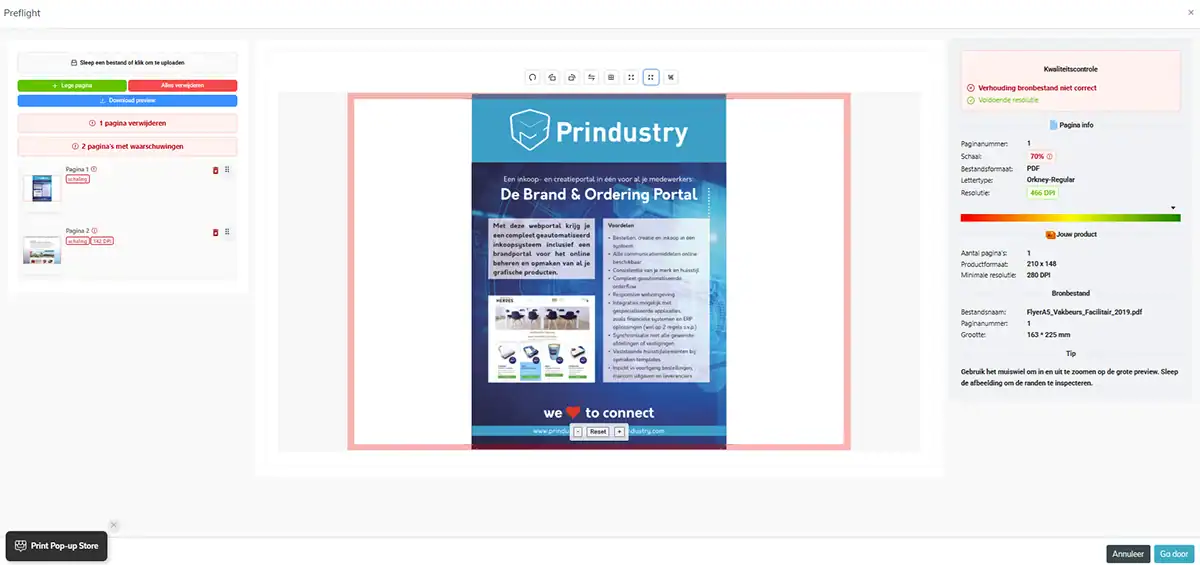
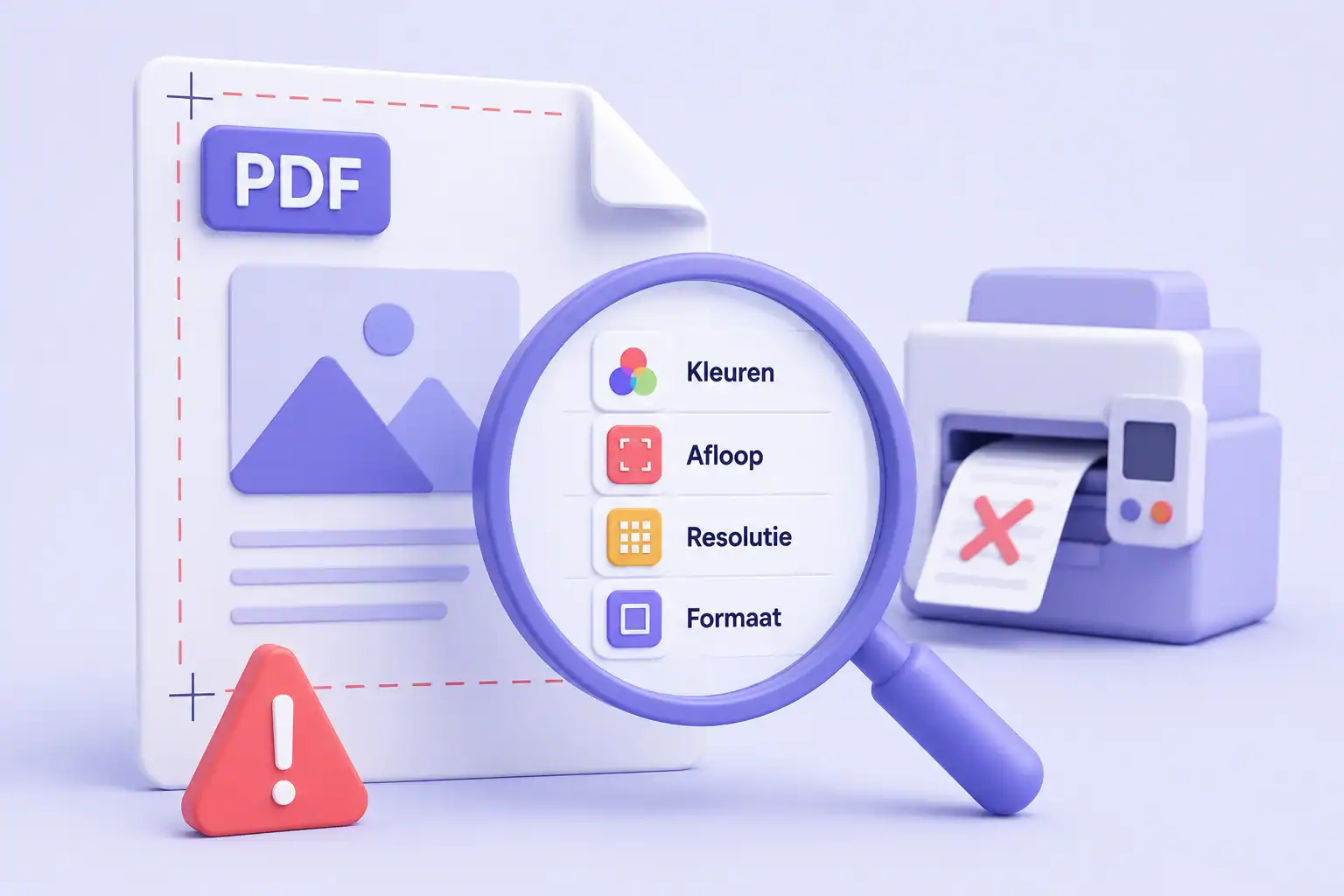
A print file with a technical error can seriously delay the order process. That could be a resolution that’s too low, the wrong format, or an incorrect colour space. If an error like that surfaces too late, you’ll have to ask for a corrected file, and production falls behind.
Preflight takes the technical file checking off your hands. You catch errors before a file goes into production, avoiding manual checks, correction rounds, and delays.
Detects RGB and CMYK colours and warns you about an incorrect colour space.
Identifies missing or non-embedded fonts.
Verifies there's enough bleed for the trim margin.
Checks that the size matches the product specifications.
Assesses whether images have enough resolution for print.
Flags mismatched formats and incorrect proportions, and positions the file correctly where possible.
Upload a PDF design to the product you're ordering, in the webshop or Brandportal. Preflight automatically checks the file for colour use, bleed, fonts, and dimensions, even for files with many pages.
Adjust the file where needed: scale, rotate, or mirror it. Errors and points of attention are shown immediately.
Does the file meet all the requirements? Then you get a production-ready PDF, complete with crop marks and registration marks. That saves hours of prepress work and guarantees consistent output.
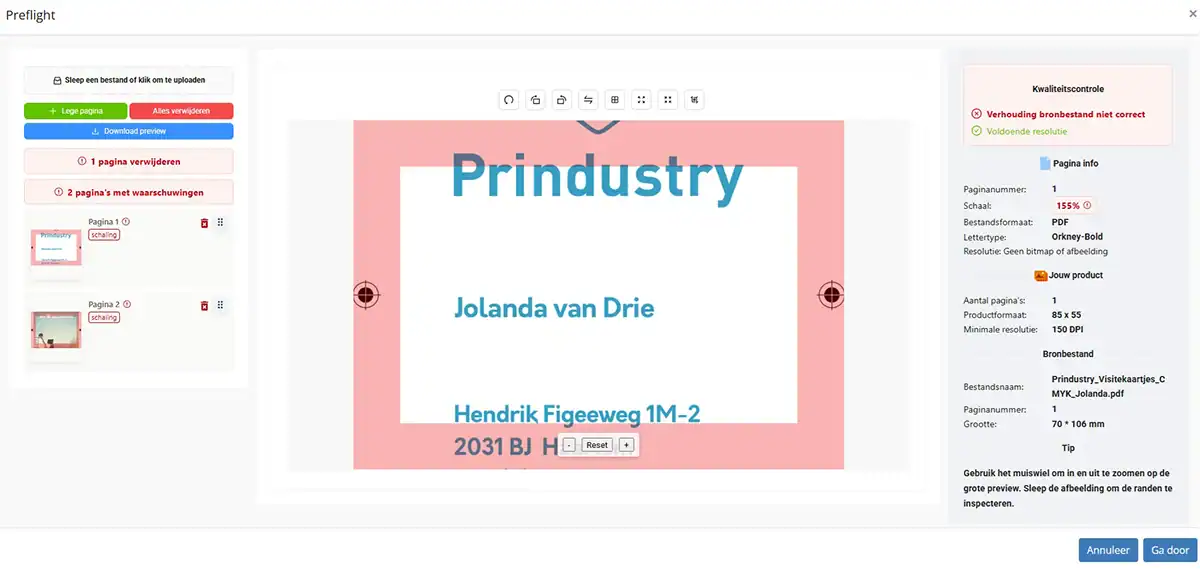
Preflight is available to users of the WhiteLabelShop and Brandportal. They have their print files automatically checked for technical errors before placing an order.
Owners of these web portals can also check files that were supplied outside the platform.
The Prindustry Platform is one SaaS management platform for print management.
It connects every step in your process, from assortment and calculation to orders and invoicing.
| Feature | What can you do with it? |
|---|---|
| API | Your own API for orders: share your assortment with external shops and apps. |
| Assortment Management | Build your product catalog and manage your products, options, and prices. |
| Budget Management | Give users their own budget and stay in control of spending. |
| Calculation | Calculate cost and sales prices based on your own machines and materials. |
| Editor | Let users personalize materials within fixed guidelines. |
| File Management | Keep all your files in one place. Use them directly in templates, quotes, orders. |
| Inventory Management | Keep your inventory up to date and show which products are in stock. |
| Invoicing | From order to invoice, with a link to your accounting software. |
| Marketplace | Buy and sell on the independent platform for print buyers and producers. |
| Order Management | Automate your order processing from purchase to production. |
| Preflight | Automatically check print files for technical errors. |
| Project Management | Bring every part of a project together: pricing, communication, orders. |
| Quote Management | Create quotes fast with up-to-date pricing and convert them into an order. |
| Storefronts | Set up multiple ordering environments and manage them from one system. |
| User Management | Set access, roles, and permissions for every user in your order environment. |
Want to see how Preflight automatically checks files in your web portal for technical errors?


© 2026 Prindustry | Software Brand Portals and Webshops | We love to connect.